

If you need the short version, we’ve got you covered with this TL;DR: Habit apps can help ADHD by offloading executive function: reminders, getting started, repeating routines, and making progress visible. They help best as support tools, not as a substitute for diagnosis, therapy, medication, or other care.
We recommend picking a low-friction app: one that’s simple, fast to log, clear to look at, flexible on streaks, and synced across devices. Start with 1 or 2 tiny, specific habits. Put the app where you’ll see it, and judge success by returning to the routine, not doing it perfectly.
With ADHD, even basic routines can be hard to hold onto. You can know exactly what you want to do, even care a lot about it, and still not get from intention to action. That’s where habit apps can help. Really help.
They don’t “fix” ADHD, and they can’t replace clinical support. What they can do is more practical: ease some of the load on your brain. A good habit app puts reminders somewhere you can see them, reduces how many decisions you have to make, and helps you begin with something small instead of waiting for a perfect wave of motivation, which, honestly, usually doesn’t show up on cue. For most people, that’s where the real benefit is.
That matters because ADHD is often less about knowing what to do and more about actually being able to do it. Usually, the issue isn’t a lack of goals. It’s remembering, getting started, moving through the steps, and repeating them often enough for a routine to stick. In that sense, habit apps usually work best as executive function support tools, not magic, just support. That’s the most useful way to look at them.
In this guide, we’ll go over what the research actually says, where habit apps are usually most helpful for ADHD, how to pick one without adding more overwhelm, and how to set it up so it works in real life instead of turning into another forgotten download. Put simply, something you might actually stick with.
What the evidence says about ADHD and habit apps
The clearest way to talk about habit apps for ADHD is also the most honest: the evidence looks promising, but it still isn’t fully settled. That may not be a perfect answer, but here it’s often the most reasonable place to land.
In a 2025 systematic review, researchers found 14 studies on ADHD management apps, looking at things like symptom monitoring, medication adherence, support for executive functioning, and behavior management (Frontiers in Public Health). Another 2025 review of reviews examined 26 systematic reviews covering 34,442 participants, though most of that evidence was centered more on children and adolescents than adults (PubMed).
That matters because habit apps aren’t magic. Not even close. What they do seem to offer, though, is a place within a growing set of digital supports that can make everyday life feel a bit more manageable, especially through reminders, tracking, and helping keep routines on track, which is often where things start to slip.
There are also some promising findings from studies involving adults. One randomized trial included 154 adults aged 18 to 55 and tested a CBT-informed ADHD health app over 8 weeks against a wait-list control (PubMed). Another 2024 research summary reported that adults using app-supported psychoeducation had better homework compliance than people using paper materials alone (University of Bonn).
The takeaway is fairly straightforward: habit apps make the most sense as adjunct tools. They can help with managing ADHD, especially when it comes to routines and reminders, and they tend to work best as one part of a broader strategy, not the whole plan. That’s usually the most useful way to look at them.
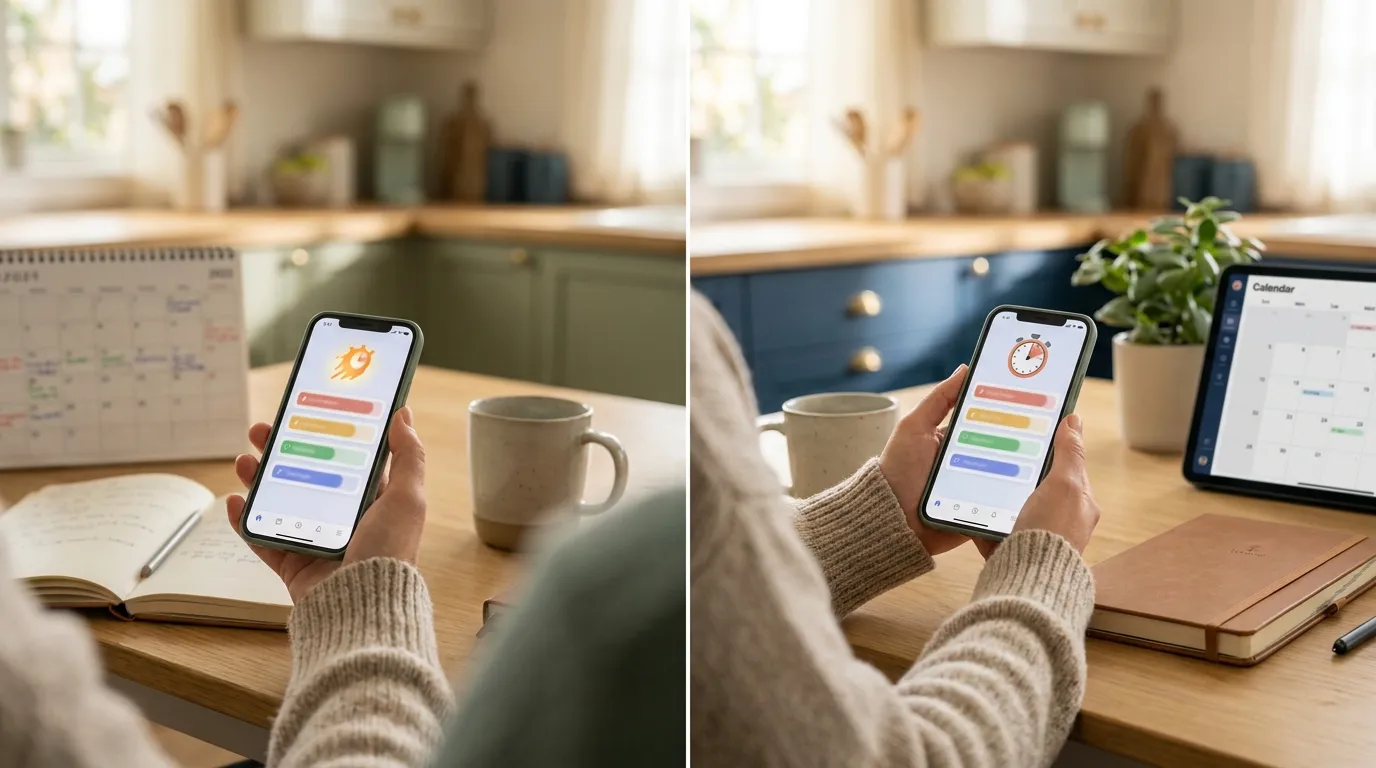
Why habit apps help when they act like external executive function
For people with ADHD, a surprising amount of energy can go into things other people hardly notice: figuring out what to do first, trying to remember if something’s already been done, estimating how long a task will take, or getting back into it after a small interruption, which, honestly, happens a lot. That invisible work often drains more energy than most people expect.
A habit app can help by taking some of that mental load out of your head, at least in many cases. It probably won’t fix everything, but it can make it easier to track what needs doing and start again after getting pulled away. That kind of support can be especially useful for:
Repeating tasks that are easy to forget
Think medication, hydration, stretching, checking your inbox, winding down at night, starting a work block, or similar things, the small stuff, really. They aren’t hard, but they’re often the kind of tasks that get lost in the noise of the day, which probably happens more often than you’d like.
Lowering initiation friction
A habit like “clean the apartment” can feel vague and heavy, while “put one dish away after lunch” is concrete and probably less annoying. Good habit apps seem helpful when they make small actions easier to spot and repeat, so doing them again tomorrow feels doable. Much simpler.
Creating visual proof of progress
With ADHD, it can be hard to tell you’re putting in effort, especially when the payoff doesn’t show up for a while. Things like streaks, check marks, and boards give quicker feedback. The brain reacts more to something it gets now than to a reward that still feels far off, so it’s easier to spot progress in the moment.
That also helps explain why simple tools often work better than complicated systems. A 2026 scoping review’s research summary says that adult adherence is still a major challenge. In one intervention, only 34.0% of participants completed exit measures, and just 22% responded to all SMS prompts (Frontiers in Digital Health). So when an app starts to feel cluttered, demanding, or annoying, people usually stop using it, which isn’t very surprising.
That is why minimalist tools like Everyday can be such a good fit for many people with ADHD. When checking in takes less energy, it becomes easier to keep going, and that’s often what separates trying something once from actually sticking with it.
The best habit apps for ADHD often do less, but do it more clearly
A common mistake is assuming more features automatically mean more support. But with ADHD, that’s often not true. Too many menus, tags, views, reminders, and setup options can quickly turn a helpful tool into a decision trap, and that can happen really fast.
The most useful habit apps usually have a couple of things in common. Here, they’re the simpler ones, at least in my view.
Fast logging
If logging a habit takes more than a few seconds, it usually starts to feel annoying, and that’s probably true for you too. One tap, maybe two at most, is enough.
Clear visual layout
An at-a-glance board usually beats digging through buried screens; it just makes things easier. And in most cases, visibility matters because seeing habits often can become a cue on its own.
Flexible streaks
Rigid systems can start guilt spirals. Flexible streak logic, skip options, or even a simple “do not miss twice” rule can make it easier to bounce back after an off day, which honestly happens. I think that’s a lot easier.
Cross-device access
ADHD support usually works better when it fits into where someone already is, which is often the whole point. If they’re switching between phone and browser all day, synced access probably matters a lot. It does.
Support for breaking bad habits too
Sometimes the goal isn’t just building a new routine. Sometimes it’s also about doing less of things like scrolling, late-night snacking, or reactive checking. Habit apps can make those patterns easier to notice, and they can add small pauses so you have a moment to do something different. A quick reset like that can make a real difference day to day.

Recent 2026 coverage also points to integrated systems that combine tasks, calendar, habit tracking, and focus tools. The basic idea is simple: bouncing between too many apps adds friction (Sachs Center). Even so, in most cases a dedicated habit tracker works best when it sticks to one job: helping you repeat small daily behaviors, and not much else. That focus is often the point.
If you want a broader look at how this ties into ADHD-specific routine support, How to Harness Your ADHD Superpowers with Habit Tracking is a helpful read. Additionally, ADHD Morning Routine: 10 Simple Habits That Work offers more examples of routines that are easier to sustain.
How to set up a habit app so you actually use it
This part probably matters just as much as, or even more than, picking the app itself. Even a really good habit app can stop being useful if you load it up too much right away, and that’s very easy to do.
Begin with one or two habits, not ten. Make them small enough that you can still do them on a hard day, not only when motivation is high. For example:
- take medication
- open planner
- drink water before coffee
- stretch for two minutes
- shut down laptop by 10 p.m.
Then make each habit extremely specific, because that usually makes a real difference. “Exercise” is too broad. “Walk for five minutes after lunch” usually goes a lot better because it spells out exactly what to do and when, so there’s less guesswork.
It also helps to place the app where it naturally fits into your day. If most of your day happens in a browser, keeping a tab pinned or using an extension can help keep habits in sight. If you check your phone more often, putting the app on the first screen makes more sense. It’s a small change, but it often helps. The goal isn’t to rely on memory alone. The app should be the thing that gives the nudge.
Some inconsistency at the beginning is worth expecting, and that’s normal. Research reported one app-supported skills intervention where participants completed an average of 6.7 out of 8 modules and practiced skills around 4.3 days per week (Frontiers in Public Health). In my view, that’s a more useful real-life benchmark than a perfect standard.
For readers dealing more with startup resistance than planning problems, Habit Tracking That Helps You Beat ADHD Procrastination connects the dots nicely. It may also help to explore How to Build Lasting Habits: Strategies Beyond Apps if you want ideas that work alongside digital tools.
Trends shaping ADHD habit apps now
A few trends are making habit apps feel more useful for ADHD management.
One is lower-friction time awareness. For many adults with ADHD, time blindness gets in the way, so tools that quietly track focus or show where time goes can be useful without asking for extra effort. Recent coverage also highlights passive tracking and distraction-blocking tools built for that problem, which lines up pretty well with how ADHD often shows up in everyday life (Tandem Coaching).
Another trend is more emotional support inside productivity tools. Some ADHD-focused apps now address avoidance, shame, motivation crashes, and psychoeducation rather than just functioning as basic checklists, and that’s a pretty big shift (Neural Revolution). That matters because habit problems often begin on the emotional side before they become logistical ones.
There’s also growing attention on personalization. A youth-centered study involving 16 adolescents aged 13 to 16 found that users wanted lower cognitive load, simpler interfaces, and more practical prompts, in other words, less mental effort up front (PMC). Those same design preferences would likely help adults too, at least in many cases.
A simple framework for choosing the right app
If you’re comparing habit apps, it helps to begin with five practical questions:
- Can I understand it in under five minutes?
- Can I check off a habit without much effort?
- Can I see how I’m doing without it feeling like too much?
- Can it fit into my routines and across my devices?
- Would I still open it when I’m tired or running behind?
A minimalist cross-platform habit tracker can be a really good fit if visual progress, simple reminders, and a low mental load matter to you. And if you want more ways to compare app styles, Best Apps for Habit Tracking: Everyday vs Habitica helps because it makes it pretty clear how different motivation systems can work for different brains. You can also compare broader options in Best Reclaim.ai Alternatives 2026: Cheaper, Better Habit Apps.
In short: the best app is the one that still feels easy when your energy is low, your routine slips, and your brain needs less friction, not necessaruly the one with more bells and whistles.

Frequently Asked Questions
Can habit apps treat ADHD on their own?
No. A habit app can be a handy tool for managing ADHD, but it’s no substitute for diagnosis, therapy, medication or other clinical care. Think of it as support for the day-to-day side of things – building routines and remembering to stick with them.
Why do people with ADHD stop using habit apps?
Mostly because the app turns into one more thing to manage. Too many features, constant reminders, unrealistic goals and that wave of guilt when you miss a day all add up. Keeping things simple beats going all in, and it helps if getting back on track after a break takes seconds rather than a fresh start.
Are streaks helpful or stressful for ADHD?
They can be either, depending on how they’re designed. A streak can keep you going and show your progress at a glance. But if one missed day makes it feel like everything’s ruined, it can do more harm than good. That’s why flexible tools like Everyday suit people with ADHD better than all-or-nothing systems.
What features matter most in habit apps for ADHD?
Fast logging and clear visuals are the big ones. After that, look for reminders, tracking that flexes around your routine and sync across your devices. Simple wins. Everyday is a minimalist option built around those basics – worth a look if cluttered apps make you switch off.
Do habit apps help adults with ADHD or mostly children?
Most of the research so far has focused on children and teenagers, but the number of studies in adults is growing. Early findings suggest adults benefit too, particularly when the app helps them stay consistent and understand their ADHD better. Small, steady habits tend to work better than trying to overhaul everything at once.
Put the app to work for your real life
A useful way to think about habit apps and ADHD is this: they’re not there to turn someone into a different person. They’re there to support goals that already exist, make it a bit easier to get started, and help someone return to those goals more often.
That may sound modest, maybe even a little too simple. Still, it can work really well. So choose one app. Start with one or two small habits, or a few if that feels realistic. Put the app somewhere it’ll actually be seen, like the home screen or dock. And measure success by coming back, not by doing everything perfectly. You’ve got this!